Your prospects see a flawless demo.
You see everything.
Sales Studio is your private studio for live demos: a teleprompter that scrolls as you speak, talking points, notes, and a control panel of Displays (slides, web apps, videos) you switch between with clean transitions. Your audience sees nothing but a polished, professional screen share.
See it in action
A three-minute tour: what you see, what they see, and how it feels to run a demo with a studio behind you.
Two views. One demo.
The whole idea of Sales Studio: a studio view for you, a clean stage for them.

A teleprompter, talking points, notes, annotation tools, and your Display control panel, all private to you.

A clean, polished screen share in Zoom, Meet, or Teams. No clutter, no fumbling, just your product.
Everything you need to run a great demo
Teleprompter
Scrolls as you speak so you stay on message and keep eye contact, never visible to your audience.
Talking points & notes
Keep your key messages and reminders one glance away, side by side with your live view.
Live annotations
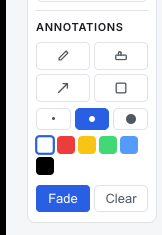
Draw, highlight, and point on screen in real time. Fade them out automatically when you're done.
Webcam overlay
Put your camera anywhere on the shared screen, per Display, so you stay personable while you present.
Instant source switching
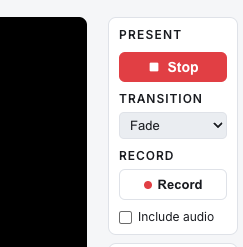
Pre-load your screens as Displays and cut between them with ⌘1–9 and smooth transitions.
Freeze the audience
Pause what your audience sees on a frozen frame, your camera keeps running, while you set up off-screen.
A look inside the studio
Your whole demo toolkit, one glance away.
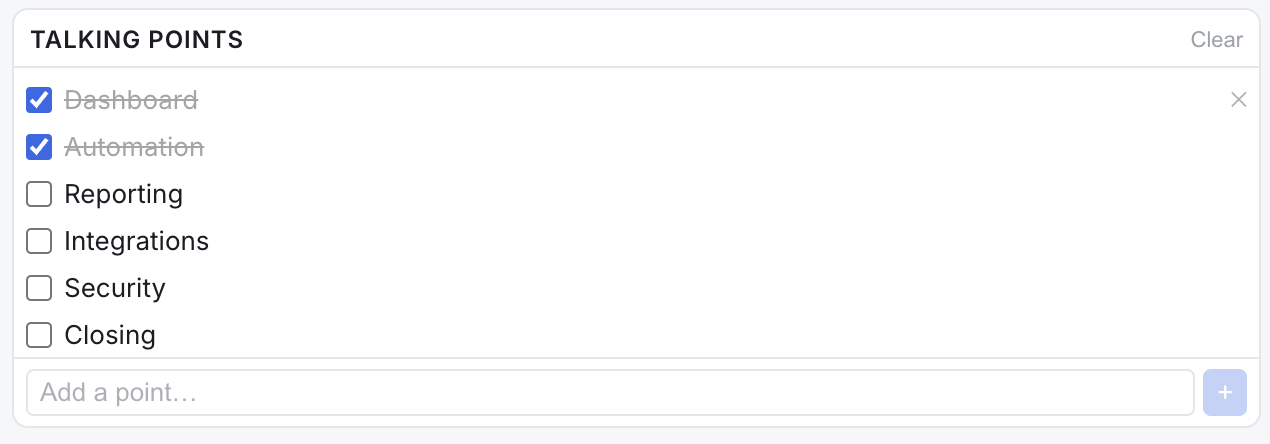

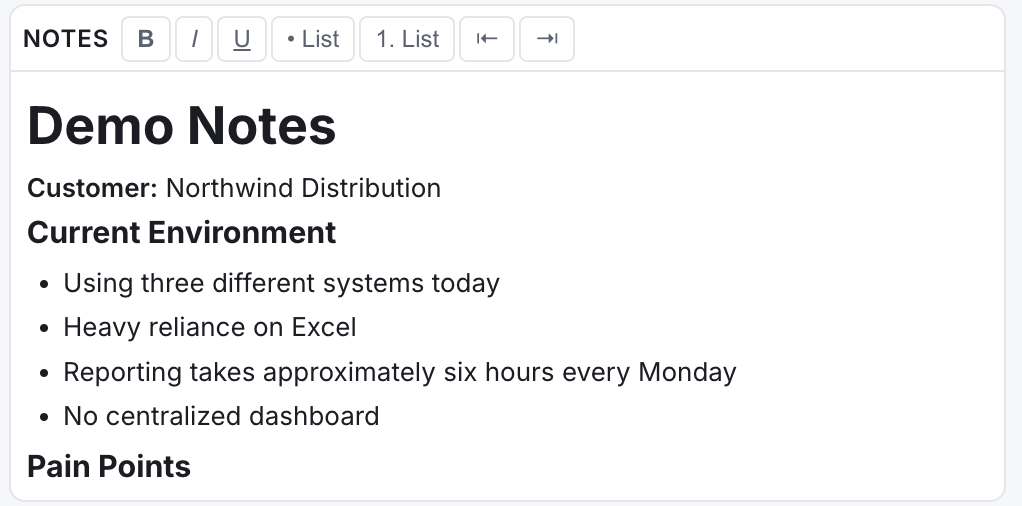
Talking points, a self-scrolling teleprompter, and your notes, side by side, all private to you.

Define your Displays ahead of time, then switch from one to the next seamlessly.

A closer look: every Display is a click (or ⌘1–9) away, and the Dock switch pulls the real window you're demoing into the studio.
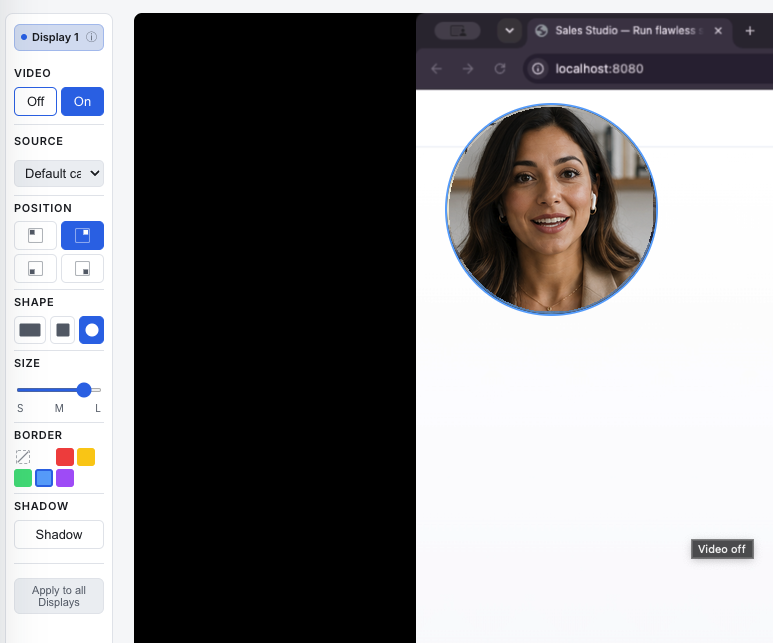
Put your camera anywhere on the shared screen, choose its position, shape, size, and border, per Display.
Up and running in minutes
Set up your sources
Add the screens, files, and web pages you'll demo as reusable Displays.
Go live
Share the clean Present window into Zoom, Meet, or Teams. Drive everything from your private Studio.
Close
Stay on script, annotate on the fly, switch sources seamlessly, and run the demo like a pro.
Simple pricing
One plan. Everything included. Cancel anytime.
- Teleprompter, talking points & notes
- Live annotations & webcam overlay
- Unlimited Displays & instant switching
- Freeze-the-audience & clean Present output
- Use on up to 3 of your Macs
- All future updates
Questions
What do I need to run it?
A Mac with Apple Silicon (M1 or later) running macOS 15 (Sequoia) or newer.
How do I install it?
After you start your trial, you'll get a download link for the Sales Studio disk image (.dmg). Open it and drag Sales Studio to your Applications folder, then launch it. The app is signed and notarized by Apple, so it opens like any trusted Mac app, you'll just confirm once that you downloaded it from the internet.
Why does it ask for Screen Recording and Camera permission?
macOS requires you to grant Screen Recording (to share your screens) and Camera (for your webcam overlay) the first time. The app walks you through it: enable Sales Studio under System Settings → Privacy & Security, then relaunch. You only do this once.
How does the free trial work?
Download the app and you get full access for 14 days, no card and no signup. When the trial ends, subscribe if you want to keep going. If you don't, nothing happens and nothing is charged.
Can I cancel anytime?
Yes. Manage or cancel your subscription anytime from the customer portal linked in your purchase email, no emails or hoops.
How many computers can I use it on?
Up to 3 Macs on one subscription. You can deactivate a device to free a slot if you switch machines.
Does it work with Zoom, Google Meet, and Teams?
Yes, Sales Studio produces a clean window you share like any other screen, so it works with any video tool.
How do I get support?
Email support@getsalesstudio.com, there's also a Help button right inside the app.